Website improvement
Your website gets no enquiries? Check these 3 things
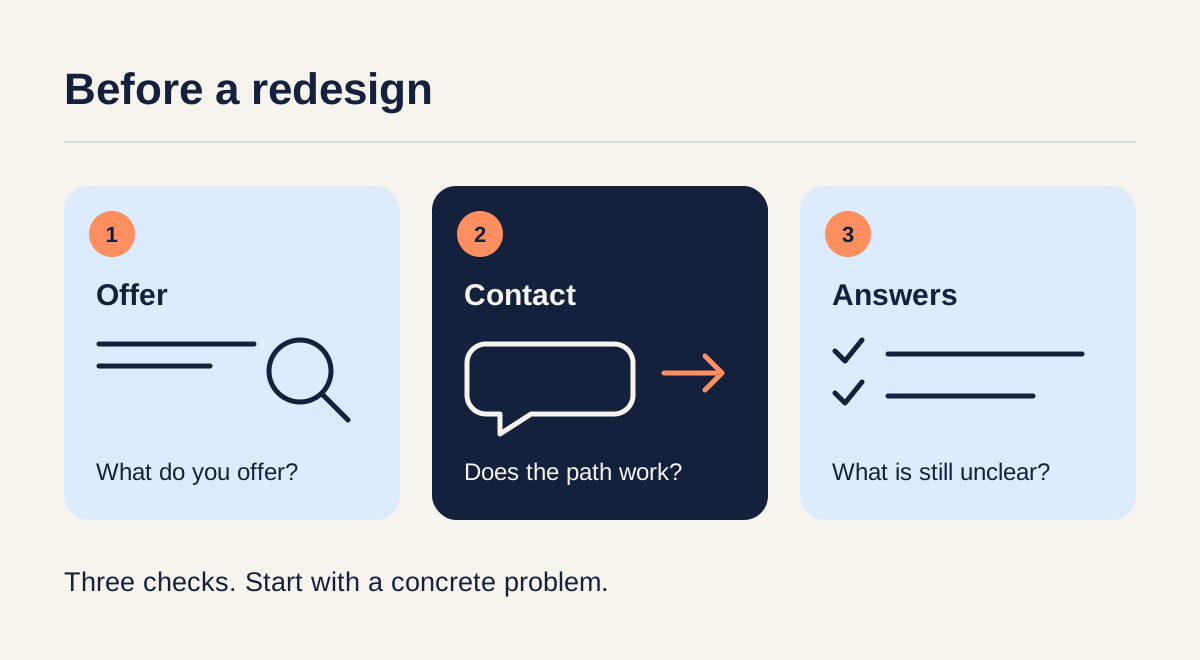
If people visit your website but do not contact you, start with three checks: can they understand what you offer, find a working way to contact you on their phone, and get the information they need to decide?
These checks can reveal specific problems without committing to a full redesign. They cannot explain every missing enquiry: first establish whether the site actually receives relevant visitors.
Before blaming the design, check who visits
A website with very few relevant visits gives you little evidence about whether its pages persuade customers. Someone looking for a job, a tutorial or a service you do not offer is not necessarily a prospective customer.
If you use GA4, its Traffic acquisition report shows where measured visits come from. Compare that information with the services and locations you serve. A traffic source alone does not tell you why someone visited.
Without reliable analytics, start with a manual review. Do not assume missing data means nobody visited, and do not treat a handful of visits as proof that the design has failed.
1. Is it clear what you offer and who it is for?
Open the page people first reach, not just the home page. Read the headline and the short explanation below it. Could someone unfamiliar with your business say what you sell, who it helps and where you provide it, if location matters?
Hypothetical example: a cleaning company uses “A fresh start for every space.” That could describe several businesses. “Office cleaning for small businesses in Chișinău” gives a visitor something concrete to recognize.
You do not need to fit every detail into the headline. Use the next sentence to explain what the service includes. If an advertisement promotes office cleaning, check that its link leads to information about office cleaning.
Try this: show the opening section to someone who does not know the business. Ask them to describe the offer in their own words. Note what they misunderstand before explaining it yourself.
2. Can someone contact you easily on their phone?
Use a real phone and follow the whole contact path. Can you find the action after reading about a service? Is it easy to tap? Does it open the right chat, email address or form?
Clear labels help set expectations. “Ask for a quote” and “Write on WhatsApp” explain more than “Continue.” W3C’s guidance covers understandable link purposes and sufficient target size or spacing.
If the action opens an app, also test what happens when that app is unavailable. Keep an alternative contact method visible. If you use a form, send a test enquiry and check that it arrives; a success message alone does not verify delivery.
You do not necessarily need a new form, a chatbot or another floating button. First fix the path you already offer.
3. Does the page answer questions people have before writing?
List the questions a customer needs answered to decide whether your service fits. Depending on the business, these might include:
- What is included, and what costs extra?
- Which locations do you serve?
- Can I see relevant examples of your work?
- Is there a price, a range, or an explanation of how you prepare a quote?
- What do I need to send, and what happens next?
Hypothetical example: a furniture-restoration service could ask for photographs, dimensions and a description of the damage before preparing a quote. Explaining that gives visitors a concrete first step without inventing a fixed price.
Use your actual customer questions where available. You do not need an FAQ section if the answers fit naturally beside the service description, examples or contact action.
A short review you can use
| Check | What to record | First change to consider |
|---|---|---|
| Offer | What an unfamiliar reader thinks you sell | Rewrite the unclear headline or explanation |
| Contact | Where the phone test fails | Fix the destination, label or placement |
| Answers | Questions left unanswered before contact | Add the missing information near the relevant service |
Start with a specific problem you can demonstrate. After changing it, test the path again and compare relevant visits, contact-button clicks and actual enquiries over a comparable period. Keep them separate: clicking a contact button does not mean a message was sent. Use analytics only where consent permits, and avoid firm conclusions from a small sample.
Found something unclear on your website? Send us the link and tell us where visitors seem to get stuck. We can discuss what is worth improving first.
Prepared with AI assistance by Lucidity Soft.
← All articles